

Mobile Device Managament
Learn more about enterprise mobility management here
Device Management
Single console for complete mobile device managementApp Management
Track the entire life cycle of appsSecurity Management
Enforce stringent security policiesEmail Management
Configure, secure and manage corporate emailContent Management
Securely share, save & view document on devicesContainerization
Separate corporate and personal data360° support for enterprise mobility
Enterprise mobile device management
- Quickly bring devices under managementEasy enrollment and authentication for BYOD and corporate devices.
- Intuitive dashboard with an easy to use interfaceManagement has never been simpler with an overview of the entire device ecosystem in your organization.
- Ensure devices are compliant with policiesConfigures profiles to enact policies for Wi-Fi, VPN and other parameters.
- Troubleshoot devices in real timeRemotely control and view mobile devices and troubleshoot issues on them.
Seamless app distribution and management
Secure and manage the applications running on devices in your network with mobile application management.
- App distribution, made easyEffortless app distribution and management of in-house and store apps for any number of devices, whether they run iOS, Android or Windows.
- Manage your app inventoryFetch granular app details and manage app licenses on mobile devices.
- Run only select few apps on the deviceLock down devices to run a single app or a set of apps with Kiosk Mode.
- Separate corporate apps from personal onesMaintain data integrity on devices by separating company work profiles from personal profiles.
Foolproof security for corporate data
Fortify enterprise security with mobile security management
Remotely wipe device data
In case of loss/theft, geographically locate the device and wipe its data to ensure corporate data safety.
Detect and report high risk and non compliant devices
Easily discover jail-broken and rooted devices within your organization’s network.
Secured access network
Safeguard your network with role-based device usage permissions and customizable access to corporate accounts.
Protect enterprise email
Provide convenient and secure access to your organization’s email, in line with Conditional Exchange Access (CEA)
Containerization platform for emails
Restrict access only to enterprise approved apps and accounts.
Integration with email platforms
Supports provisions for Office 365 and Azure.
Share and view email attachments securely
Ensure that email attachments are viewed only through certain managed apps.
Share documents to mobile devices with just a few clicks
Remotely distribute and manage documents on the mobile devices.
Securely view and save documents
Access documents only using the trusted apps on the device.
Automatic document updates
Documents once distributed to devices get automatic updates when newer versions are available.
Prevent third party cloud backup
Restrict third party apps from accessing and backing up distributed documents.
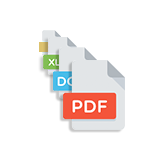
Multiple file format support
Over 10 different document formats can be distributed and managed.
Manage enterprise owned and private devices
Separate corporate and personal information in each device so that there is no compromise on data integrity

Enterprise data is stored in an encrypted container
Prevent threats from accessing corporate resources on the device.

Provision selective accounts
Give selective access to corporate accounts like email, customize Wi-Fi based on employee needs.

Create a vault to secure data
Choose to either allow or ban which commercial apps can be carried on to the company premises by employees.